Message: Return type of CI_Session_database_driver::open($save_path, $name) should either be compatible with SessionHandlerInterface::open(string $path, string $name): bool, or the #[\ReturnTypeWillChange] attribute should be used to temporarily suppress the notice
Message: Return type of CI_Session_database_driver::close() should either be compatible with SessionHandlerInterface::close(): bool, or the #[\ReturnTypeWillChange] attribute should be used to temporarily suppress the notice
Message: Return type of CI_Session_database_driver::read($session_id) should either be compatible with SessionHandlerInterface::read(string $id): string|false, or the #[\ReturnTypeWillChange] attribute should be used to temporarily suppress the notice
Message: Return type of CI_Session_database_driver::write($session_id, $session_data) should either be compatible with SessionHandlerInterface::write(string $id, string $data): bool, or the #[\ReturnTypeWillChange] attribute should be used to temporarily suppress the notice
Message: Return type of CI_Session_database_driver::destroy($session_id) should either be compatible with SessionHandlerInterface::destroy(string $id): bool, or the #[\ReturnTypeWillChange] attribute should be used to temporarily suppress the notice
Message: Return type of CI_Session_database_driver::gc($maxlifetime) should either be compatible with SessionHandlerInterface::gc(int $max_lifetime): int|false, or the #[\ReturnTypeWillChange] attribute should be used to temporarily suppress the notice
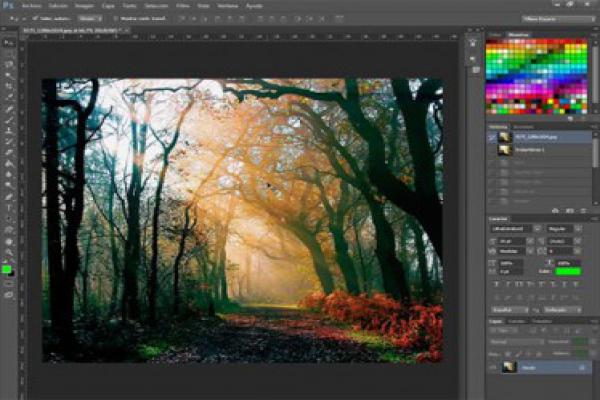
This is the ultimate Photoshop training course that will take you from absolute beginner to proficient Photoshop user in no time at all.
Learn how to use the program with ease while having fun!
My approach is simple: we focus on real world cases and I present the best techniques that require minimal effort yet produce maximum results. All my content is focused on getting the job done in the least amount of time possible. I'll be using the latest version of the program - Photoshop CC 2020, but all the content is explained for all users, no matter what version you have installed. Photoshop Elements is not compatible with this course.
This Course Includes
100 Lessions
Full lifetime access
Share:
Design icons, business cards, illustrations, and characters
Clean up face imperfections, improve and repair photos
Use creative effects to design stunning text styles
Remove people or objects from photos
Cut away a person from their background
Master selections, layers, and working with the layers panel
If you have Photoshop installed, that's great. If not, I'll teach you how to get it on your computer.
This is the ultimate Photoshop training course that will take you from absolute beginner to proficient Photoshop user in no time at all.
Learn how to use the program with ease while having fun!
My approach is simple: we focus on real world cases and I present the best techniques that require minimal effort yet produce maximum results. All my content is focused on getting the job done in the least amount of time possible. I'll be using the latest version of the program - Photoshop CC 2020, but all the content is explained for all users, no matter what version you have installed. Photoshop Elements is not compatible with this course.